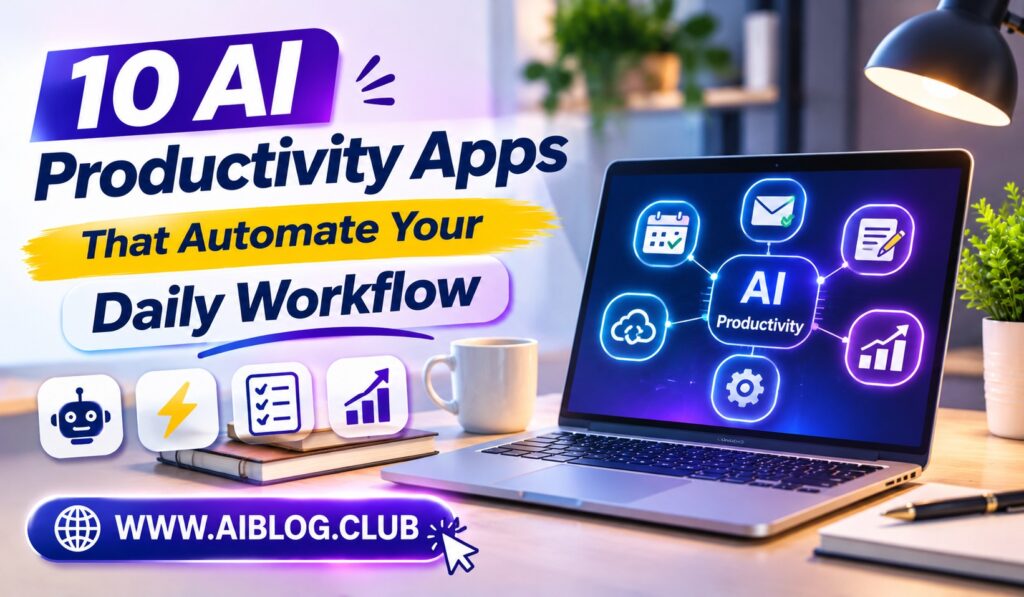
Many workdays are packed with small tasks that software could finish for you. The right AI productivity apps can draft, sort, summarize, and schedule while you focus on real thinking. That matters because small chores drain energy long before big projects begin. This list covers ten tools, and it pairs well with these ChatGPT prompts for office work.
Each pick below includes its main job, one strength, one drawback, and the person it suits best. Pricing and features change often, so check the official site before you pay. Meanwhile, start with one or two apps instead of all ten. Once a tool saves you time, add the next one.
Quick Look at the Best AI Productivity Apps
This table shows each tool at a glance, so you can jump to the one that fits your day.
| App | Best For | Core Strength |
| ChatGPT | General daily tasks | Flexible writing and planning |
| Notion AI | Notes and docs | AI inside your workspace |
| Microsoft Copilot | Office users | Help inside Microsoft apps |
| Google Gemini | Google users | Help inside Google apps |
| Otter.ai | Meetings | Transcripts and summaries |
| Grammarly | Writing | Clarity and tone checks |
| Zapier | Automation | Connecting apps |
| Perplexity | Research | Answers with sources |
| Reclaim.ai | Scheduling | Calendar time blocking |
| Gamma | Presentations | Fast slide drafts |
1. ChatGPT
Start here if you want one flexible assistant for many jobs.
Because ChatGPT works through plain chat, it drafts emails, explains hard topics, and outlines plans in seconds. Since it handles so many tasks, it often becomes the first tab you open each morning. Its conversational interface keeps the learning curve low, even for beginners. So you can begin with a simple request and improve it step by step. A free plan exists, while paid plans add more features and higher limits.
- Strength: one tool for writing, planning, and brainstorming.
- Drawback: facts need a quick check before you share them.
- Best for: general daily work.
2. Notion AI
Notes, tasks, and drafts can live in one workspace.
Because Notion AI sits inside your pages, it can summarize notes and draft text without any copy and paste. As a result, your documents stay organized in one place. The built-in summaries help most after long meetings, when notes feel messy. Still, you need a tidy page structure to get the best results. Teams that already use Notion will adopt it fastest.
- Strength: keeps notes and AI help together.
- Drawback: setup takes some patience.
- Best for: students and note-heavy teams.
3. Microsoft Copilot
Heavy Office users will feel at home here.
Depending on your plan, Copilot works inside Word, Excel, Outlook, and Teams. For instance, it can draft a document or summarize a long email thread without leaving the app. Its biggest win is Microsoft 365 integration, which means less switching between windows. That said, some features require a paid Microsoft plan. Check what your employer already provides before you buy anything.
- Strength: AI help inside the apps you already use.
- Drawback: full access may cost extra.
- Best for: office professionals on Microsoft tools.
4. Google Gemini
Google Workspace fans get a natural fit.
Depending on your plan, Gemini connects with tools such as Gmail, Docs, and Drive. So you can ask for a draft reply, a document outline, or a quick summary. Its main advantage is Google Workspace support, since many people already live in those apps. Meanwhile, results vary by plan and region. A short test on a real email will show whether it suits you.
- Strength: smooth help inside Google apps.
- Drawback: some features depend on your account type.
- Best for: Gmail and Docs users.
5. Otter.ai
Meetings become much easier to follow up on.
Otter.ai records and transcribes calls, then creates summaries and action items. Because of this, you can stay present in the conversation instead of typing every note. The automatic meeting notes also make it simple to search past discussions. Yet accuracy can drop when audio is noisy or people talk over each other. Always tell participants when you record a call.
- Strength: searchable transcripts and summaries.
- Drawback: poor audio hurts accuracy.
- Best for: people with many meetings.
6. Grammarly
Clear writing helps every message land better.
Grammarly checks spelling, grammar, tone, and clarity as you type in many apps. While it fixes small errors, it also suggests shorter, friendlier wording. If email fills much of your day, you can learn to write better emails with AI templates. Its best feature is tone and clarity suggestions. However, it can sometimes flatten your personal style.
- Strength: quick polish for any message.
- Drawback: suggestions need your judgment.
- Best for: anyone who writes daily.
7. Zapier
Repeating chores are where automation pays off.
Zapier connects many apps, so one action can trigger another. For instance, a new form entry can land in a spreadsheet and alert your team. Its no-code automations let you build these steps without programming. Still, complex workflows need testing, and costs can rise with heavy use. Begin with one simple automation, then grow from there.
- Strength: links your apps without code.
- Drawback: complicated setups take trial and error.
- Best for: repeated, rule-based tasks.
8. Perplexity
Research feels faster when answers come with sources.
Perplexity answers questions in plain language and shows where the information came from. As a result, you can click through and verify each claim. If your research starts with a long report, you may also want to summarize long PDFs with AI. Its cited answers set it apart from basic chat tools. Even so, always open the sources yourself.
- Strength: quick answers with links.
- Drawback: source quality still varies.
- Best for: students and researchers.
9. Reclaim.ai
A crowded calendar needs protection.
Reclaim.ai connects to your calendar and places tasks and habits into open time slots. When meetings change, it shifts your tasks around them. The automatic time blocking keeps space for focused work. However, it works best when your calendar is already accurate. Once set up, it saves the daily chore of rearranging your schedule by hand.
- Strength: protects deep work time.
- Drawback: needs a tidy calendar to shine.
- Best for: people with packed schedules.
10. Gamma
Slide decks no longer need to start from a blank page.
Gamma turns a short prompt or outline into a draft presentation. Because the first version appears quickly, you can spend your time on edits instead of layout. Its instant slide drafts work well for internal updates. Even so, you should adjust the design and check every fact. Think of the result as a rough draft, not a finished deck.
- Strength: fast first drafts of decks.
- Drawback: designs often need cleanup.
- Best for: quick presentations.
How to Choose Among AI Productivity Apps
Start by listing the three tasks that eat most of your week. For example, you may lose time on email, meetings, or reports. Next, match each task to one app from the list above, and test it for seven days. Because small trials cost little, you can drop tools that do not help.
Also think about where you already work. If your team uses Microsoft or Google, Copilot or Gemini will feel natural. On the other hand, a mix of tools may call for Zapier to connect them. Finally, protect your privacy by avoiding sensitive data in tools your company has not approved.
Key Takeaways
- Best overall: ChatGPT for flexible daily help.
- Best for Microsoft users: Copilot.
- Best for Google users: Gemini.
- Best for meetings: Otter.ai.
- Best for automation: Zapier.
- Best for research: Perplexity.
Frequently Asked Questions
What are AI productivity apps?
They are software tools that use artificial intelligence to handle tasks such as writing, scheduling, and summarizing.
Are AI productivity apps free?
Many offer free plans with limits, while advanced features usually need a paid plan.
Do I need technical skills to use them?
No, because most apps work through plain text instructions and simple menus.
Can AI productivity apps make mistakes?
Yes, so you should always review facts and details before sharing the results.
Conclusion
AI productivity apps work best when each one solves a clear problem. ChatGPT is a strong first pick, because it covers writing, planning, and brainstorming in one place. From there, add tools for meetings, research, or scheduling as your needs grow. Test one app for a week, and keep only what truly saves you time.