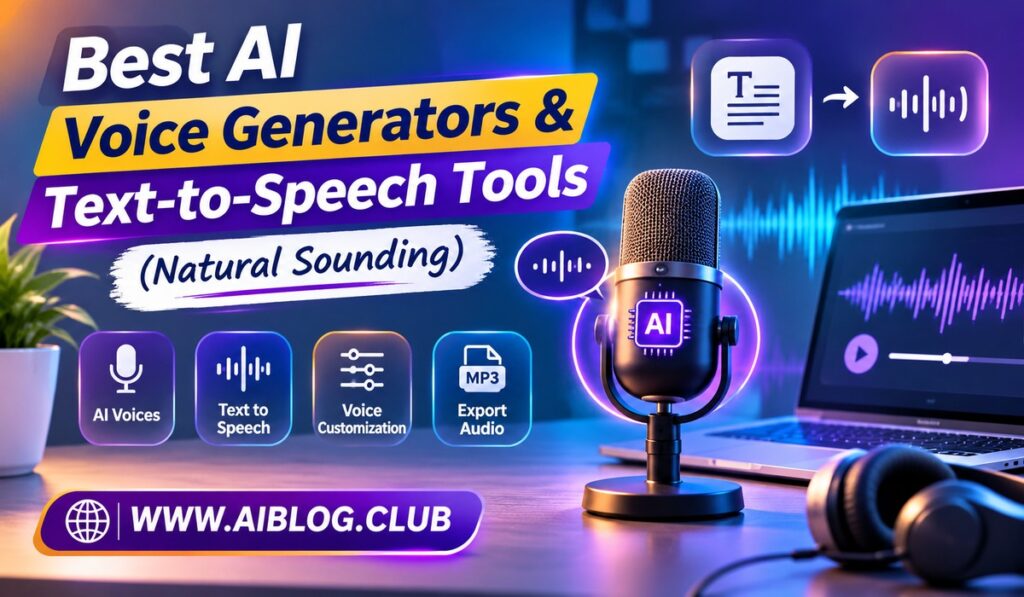
Robotic voices used to give text to speech a bad name. Today, the best AI voice generators sound warm, clear, and surprisingly human. That change helps video makers, teachers, podcasters, and businesses save real money. This guide reviews five natural sounding options and explains who each one suits. If you want to pair a voice with visuals, take a look at the best AI video and content creation tools.
Naturalness depends on more than the voice itself. Pacing, emotion, and pronunciation all matter. For that reason, each tool is compared on sound quality, control, and cost. Of course, prices shift often, so verify them on the official pages. Also, listen to a free sample before you commit, because taste in voices is personal.
1. ElevenLabs
ElevenLabs is widely praised for the most lifelike voices in this group.
Its voices carry emotion, pauses, and natural rhythm. Because of this, audiobook makers and YouTubers often choose it first. You can also clone a voice with permission, which helps with brand consistency. However, long projects can use up credits fast. Even so, the sound quality often justifies the cost.
Language support adds to the appeal. A single script can be voiced in several languages with a similar tone. As a result, creators can reach new audiences without hiring extra voice actors.
- Sound quality: Excellent, with expressive delivery
- Languages: Many supported
- Voice cloning: Available on certain plans
- Price range: Free tier, with paid plans from roughly 5 dollars a month
- Minor drawback: Credit limits on heavy use
- Best for: Audiobooks, YouTubers, and game or app developers
2. Murf AI
Murf AI is built for polished voiceovers in business content.
The studio lets you place a voice over slides or video and adjust pitch and speed. Meanwhile, the editor feels simple even for first timers. In contrast to some rivals, the focus here is on clean, professional narration rather than dramatic acting. That said, the most expressive voices may sound a touch more formal. Still, it works well for training and ads.
Syncing is a big time saver. You can match each line of narration to a slide and fix timing in one place. Because of this, explainer videos come together quickly.
- Sound quality: Very good, clear and professional
- Editing tools: Pitch, pace, and emphasis controls
- Extras: Voiceover sync with video and slides
- Price range: Free trial, with paid plans from roughly 20 dollars a month
- Minor drawback: Less emotional range
- Best for: Corporate training, explainer videos, and presentations
3. WellSaid Labs
WellSaid Labs targets teams that need consistent, studio quality narration.
Its voices sound steady and trustworthy, which suits e-learning and company announcements. Moreover, the platform offers team features for shared projects. On the other hand, the price sits higher than casual tools. As a result, solo creators may find it more than they need. Yet for larger teams, the reliability pays off.
Consistency matters when many people publish content. A shared library keeps every video sounding like the same brand. Meanwhile, licensing built for commercial work reduces worry for managers.
- Sound quality: Very good, with a calm and professional tone
- Team features: Shared libraries and collaboration
- Licensing: Built with commercial use in mind
- Price range: Paid plans, generally higher than hobby tools
- Minor drawback: Cost for individual users
- Best for: E-learning teams and enterprise content groups
4. Speechify
Speechify is the simple choice for listening to text instead of reading it.
You paste an article, open a document, or scan a page, and a voice reads it aloud. Because of this, students and busy professionals use it to absorb more information. The voices sound pleasant, and speed controls are easy to adjust. However, creators who need deep editing tools may want something else. Still, for daily listening, it is hard to beat.
Accessibility is another strong point. People with reading challenges often find listening far easier than reading. Meanwhile, commuters can turn drive time into study time.
- Sound quality: Good to very good
- Main use: Reading documents, web pages, and books aloud
- Platforms: Mobile, browser, and desktop
- Price range: Free basic use, with paid plans for premium voices
- Minor drawback: Limited production features
- Best for: Students, people with reading challenges, and commuters
5. Amazon Polly
Amazon Polly serves developers who need speech inside apps and websites.
It runs through the cloud, so you pay for what you use. For instance, a small app may cost very little each month. Its newer neural voices sound much better than older systems. That said, you need some technical skill to set it up. Because of this, it is less friendly for casual creators.
Scale is where Polly shines. A company can convert thousands of pages of text without hiring anyone to record them. Meanwhile, the pay as you go model keeps early costs low.
- Sound quality: Good, with neural voices improving it
- Languages: Many supported
- Setup: Requires developer skills
- Price range: Pay as you go, based on characters converted
- Minor drawback: Not beginner friendly
- Best for: Developers, app builders, and large scale projects
How to Choose the Right Tool
Start with your use case. If you want the most expressive voice for stories or videos, try ElevenLabs first. If you create business training, Murf AI or WellSaid Labs will feel more at home. Meanwhile, anyone who simply wants to listen to articles should look at Speechify.
Next, test the same short script in two tools. Listen on headphones and on a phone speaker, because small flaws show up fast. Also, read the license terms, especially if you plan to earn money from the audio.
Also, ask a friend to listen without reading the script. If the voice sounds natural to a fresh ear, you have found a good match. Finally, consider length and cost. Long scripts burn credits quickly on some plans. So, compare the price per minute of audio, not just the monthly fee.
AI Voice Generators at a Glance
| Tool | Naturalness | Best Use | Starting Price | Skill Needed |
| ElevenLabs | Excellent | Audiobooks, video | Free tier | Low |
| Murf AI | Very good | Business voiceovers | Free trial | Low |
| WellSaid Labs | Very good | Team narration | Paid | Low |
| Speechify | Good | Listening to text | Free basic | Very low |
| Amazon Polly | Good | App integration | Pay as you go | High |
Voices work well alongside slides, too. In fact, the best AI presentation makers pair nicely with a clean voiceover. Similarly, you can design cover art with the top AI image generators.
Common Mistakes to Avoid
Many people paste a long script and accept the first result. However, a quick listen can catch odd stress, wrong names, and strange pauses. Another mistake is ignoring pronunciation settings. Instead, spell tricky words phonetically, because small fixes make the voice sound far more natural.
Key Takeaways
- Most natural sound: ElevenLabs
- Best for business voiceovers: Murf AI
- Best for teams: WellSaid Labs
- Best for listening: Speechify
- Best for developers: Amazon Polly
Frequently Asked Questions
What are the most natural sounding AI voice generators?
ElevenLabs is often rated the most lifelike, with Murf AI and WellSaid Labs close behind.
Is there a free text to speech tool?
Yes, ElevenLabs and Speechify both offer free options with limits.
Can I clone my own voice?
Yes, some tools such as ElevenLabs allow it on certain plans.
Can I use AI voices for YouTube videos?
Usually yes, but you should confirm the commercial license of your chosen plan.
Which tool is best for developers?
Amazon Polly fits apps and websites best.
Conclusion
Natural sounding AI voice generators have come a long way. ElevenLabs leads on realism, Murf AI handles business needs, and Speechify makes reading easy. Meanwhile, WellSaid Labs and Amazon Polly serve teams and developers. Choose based on your project, test a few sample lines, and then pick the voice that sounds right to your audience.