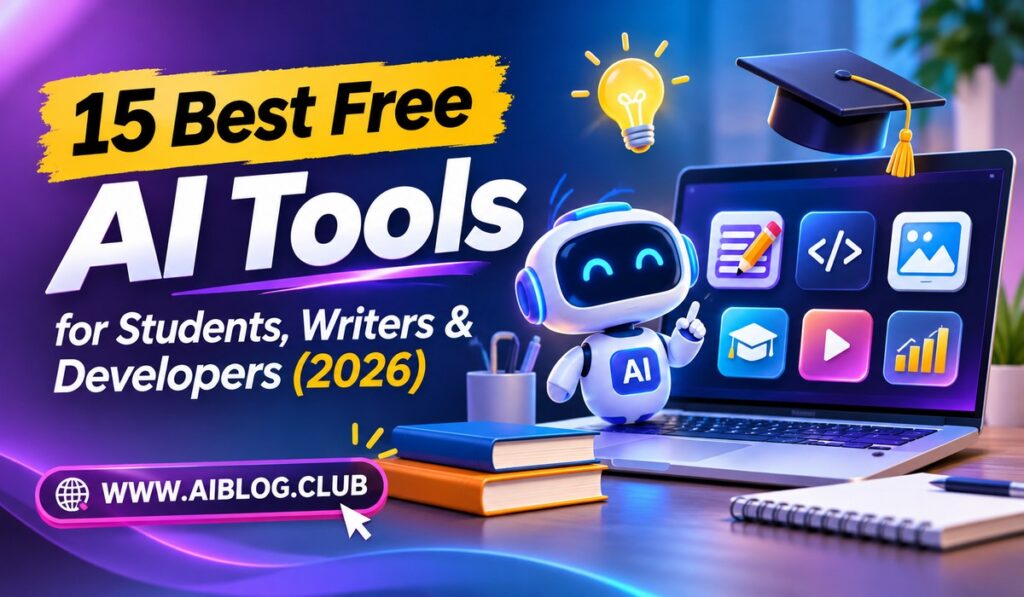
Free AI tools now do work that once required an expensive subscription. Students can summarize chapters in minutes, and writers can polish drafts before lunch. Developers can fix bugs without leaving the editor. This guide covers the best free AI tools for each group, with honest notes on limits. If you are unsure which chatbot suits you, you can compare ChatGPT, Claude, and Gemini side by side before you pick.
Free plans change often, so treat every limit below as a starting point. Check each official site for current rules before you rely on a tool for a deadline.
Quick Comparison
| Tool | Best For | Free Plan Limit | Main Weakness |
| ChatGPT | General tasks | Capped daily use | Slower at peak hours |
| Claude | Long writing | Capped daily use | Fewer extras |
| Gemini | Google users | Capped daily use | Uneven answers |
| NotebookLM | Study notes | Source caps | Needs your files |
| GitHub Copilot Free | Coding | Monthly caps | Editor required |
1. ChatGPT
Start here if you want one flexible assistant for almost everything.
The free plan handles essays, explanations, brainstorming, and basic code. Versatility is its biggest strength. However, heavy users will hit message caps, and newer features often arrive on paid plans first. It suits beginners who want a friendly place to learn what AI can do.
2. Claude
This assistant is a favorite among people who write a lot.
Claude tends to produce calm, readable prose and handles long documents well. Its writing tone feels less stiff than many rivals. On the other hand, the free plan has daily limits, so plan big tasks carefully. It fits essay writers, editors, and anyone who reads long reports.
3. Gemini
Google built this assistant to work with the tools many people already use.
If you live inside Gmail, Docs, and Drive, Google integration is the main draw. The free plan covers questions, drafts, and image help. Still, answers can vary in quality, so check anything important. It suits students whose schools run on Google accounts.
4. Perplexity
Think of this as a search engine that explains itself.
Every answer comes with linked sources, so citations you can click are the key feature. That makes checking facts faster. Free searches are limited each day, though, and the deepest research modes need payment. It suits students who need fast background reading with visible sources.
5. NotebookLM
Google made this one for studying your own material.
You upload notes, PDFs, or links, and the tool answers only from those files. As a result, source-grounded answers lower the risk of invented facts. It can also create study summaries and audio overviews. The catch is simple: it is only as good as the files you give it.
6. Microsoft Copilot
This assistant sits inside Windows, Edge, and Microsoft apps.
Free access covers chat, image creation, and web answers. Its best feature is built-in convenience for people who already use Microsoft products. Some advanced features inside Word and Excel require a paid plan. It suits office workers and students who write in Microsoft tools.
7. Grammarly
Most people know it as a spelling checker, but it does more now.
The free plan flags grammar, spelling, and unclear sentences as you type. Its real-time corrections save a lot of editing time. Meanwhile, tone suggestions and rewriting help are mostly limited on the free tier. It suits anyone who writes emails, essays, or blog posts.
8. QuillBot
Use this tool when a sentence feels clumsy and you need another way to say it.
The free paraphraser rewrites text in several styles. The paraphrasing modes let you choose between simple and more formal phrasing. Free users face word limits, though. Please use it to improve your own writing, not to hide copied work.
9. Otter.ai
Lectures and meetings move fast, and notes often fall behind.
Otter records audio and turns it into searchable text with speaker labels. Its automatic transcription is the main benefit. Free plans cap monthly minutes, and accuracy drops with noisy rooms. It suits students who attend long lectures and writers who record interviews.
10. Canva
Visuals matter for presentations, social posts, and blog covers.
Canva offers templates, a drag-and-drop editor, and some AI image and text tools. The template library is what makes it quick for beginners. Even so, several premium assets and AI features need a paid plan. It suits students making slides and writers designing simple graphics.
11. GitHub Copilot Free
Coders who want help inside the editor should try this first.
It suggests lines of code, answers questions, and explains confusing functions. In-editor suggestions save a lot of typing. Monthly usage caps apply, so heavy daily users may run out. It suits students learning to code and developers working on side projects.
12. Cursor
This is a code editor built around AI from the start.
You can ask it to edit several files at once or explain a whole project. Its project-wide context sets it apart from simple autocomplete. The free tier has usage limits, and the interface takes time to learn. It suits developers who want to try an AI-first editor.
13. Google AI Studio
Developers who want to test models before building an app will like this.
The web tool lets you write prompts, tweak settings, and grab code for your project. Its free experimentation space helps you learn how models respond. Rate limits apply, and rules can change. It suits builders who want to prototype ideas without a big budget.
14. Hugging Face
Think of it as a huge public library for AI models and datasets.
You can try thousands of community models in your browser or download them. The open model hub is its core value. Beginners may find the sheer number of options confusing. It suits developers and curious students who want hands-on practice.
15. Elicit
Academic research can feel slow, and this tool tries to speed up the first step.
Elicit searches scholarly papers and pulls out key details into a table. Its paper summaries help you scan many studies quickly. Free use is limited, and you must still read the original papers. It pairs well with our AI research workflow for verifying sources.
How to Choose the Right Tool
Start with the job, not the brand. Students usually need a study helper, a note taker, and a citation checker. Writers need a drafting partner and a grammar tool. Developers need an in-editor assistant and a place to test models.
Next, think about trust. Search-style tools such as Perplexity show their sources, which helps with facts. If search is your main need, our guide to the best AI search engines explains the differences. Chat assistants are better for drafting and brainstorming.
Tips for Using Free AI Tools Safely
Free does not mean risk free. First, avoid pasting private data such as passwords, health details, or client files. Each company has its own privacy rules, so a quick look at the settings page pays off. Meanwhile, turn off data sharing if the option exists and you prefer more privacy.
Next, remember that every assistant can be wrong. Treat answers as drafts, and confirm names, dates, and numbers before you publish or submit them. For schoolwork, follow your teacher’s rules about AI use. When in doubt, ask before you rely on a tool, since honest use protects your grades and your reputation.
Finally, avoid collecting too many tools. Three or four that you use well beat fifteen that you barely open. Pick a small set, learn it deeply, and swap one out only when you find a clear improvement.
Key Takeaways
- Best overall: ChatGPT for flexible daily use.
- Best for writers: Claude for natural, readable prose.
- Best for research: Perplexity and NotebookLM for sourced answers.
- Best for developers: GitHub Copilot Free and Cursor.
- Best for notes: Otter.ai for lectures and interviews.
- Biggest warning: Free limits change, so check official pages.
Frequently Asked Questions
Are free AI tools good enough for schoolwork?
Yes, they work well for explaining ideas and checking drafts, but you must verify facts yourself.
Which free AI tool is best for writing?
Claude and ChatGPT both handle writing well, so try each on a real draft.
Can developers rely on free plans?
Free plans suit learning and small projects, but heavy daily coding may need a paid plan.
Do these tools store my data?
Policies differ, so read each privacy page before you upload sensitive material.
Will these limits stay the same in 2026?
Limits change often, so confirm current rules on each official site.
Conclusion
The best free AI tools in 2026 cover almost every student, writer, and developer need. Start with one assistant, add one specialist tool, and learn their limits. Over time, your own habits will show which tools deserve a permanent place in your routine.