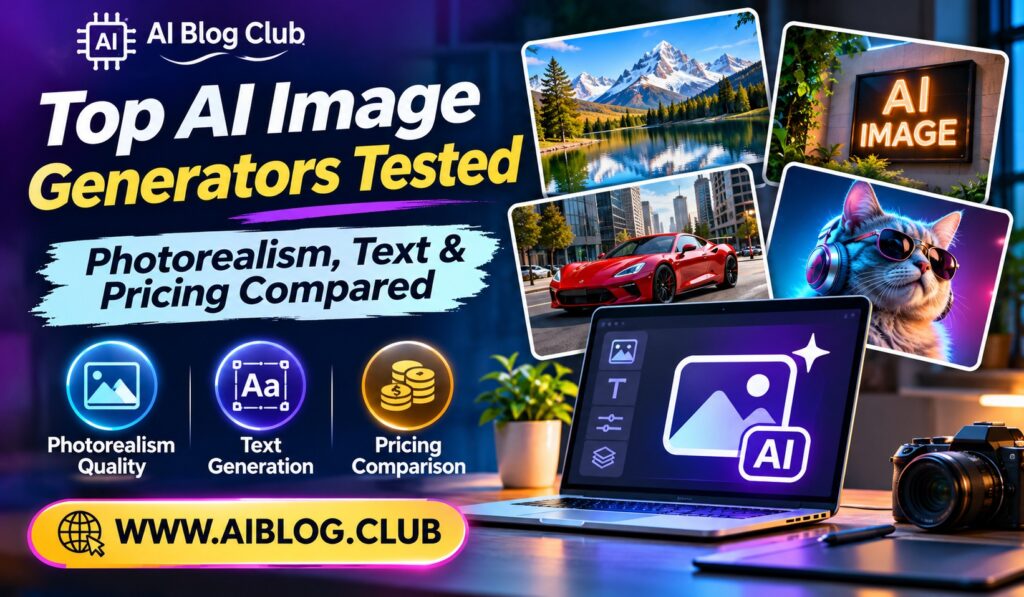
One typed sentence can now produce a photo that fools most people. That power comes from AI image generators, and new options appear almost every month. Because of this, picking one feels harder than it should. This guide compares five top AI image generators on realism, text quality, and price. If you also plan to turn those pictures into motion, the best AI video and content creation tools cover the next step.
First, a word on method. Each tool below is judged on three things: how real the people and objects look, how well it spells words inside an image, and what it costs. Prices change often, so treat every figure as a rough guide. Before you pay, check the official pricing page. That simple habit saves money, and it keeps you from relying on outdated numbers.
1. Midjourney
Midjourney is the pick for bold, artistic images with a polished finish.
Its pictures often look like they came from a professional photo shoot or a film still. Skin, light, and fabric usually look rich and believable. However, the tool rewards patience, because small changes in a prompt can shift the style a lot. Many artists enjoy that, while beginners may find it confusing at first. Even so, the results are hard to beat for mood.
Meanwhile, the community around the tool is a real strength. You can browse other prompts, copy ideas, and learn quickly. As a result, your skills grow faster than they would alone.
- Photorealism: Excellent, especially for portraits and cinematic scenes
- Text in images: Better than before, but still hit or miss
- Price range: Paid only, with entry plans around 10 dollars a month
- Access: Web app and Discord
- Minor drawback: Less direct control over exact details
- Best for: Designers, concept artists, and brand creators who want a strong look
2. ChatGPT Image Generation
ChatGPT works best for people who prefer to describe changes in plain conversation.
You type what you want, then ask for edits as if you were talking to a coworker. For instance, you can say “make the sky darker” and the image updates. Text inside images is also a strength here, which helps with posters and social graphics. That said, the style can look a little smooth next to Midjourney. Still, the ease of use makes it a great starting point.
On top of that, you can upload your own photo and ask for changes. This makes quick mockups simple. Because the chat remembers earlier steps, you rarely need to start over.
- Photorealism: Good, with natural lighting in most scenes
- Text in images: Strong for short phrases and labels
- Price range: Limited free use, with paid plans around 20 dollars a month
- Access: Web and mobile apps
- Minor drawback: Usage limits apply, even on paid plans
- Best for: Beginners, marketers, and anyone who edits by chatting
3. Adobe Firefly
Adobe Firefly suits teams that care about safe commercial use.
Adobe states that Firefly was trained on licensed and public domain content, which matters to many businesses. As a result, legal teams often feel more comfortable with it. The tool also connects to Photoshop and Illustrator, so edits flow smoothly between apps. On the other hand, the raw artistic punch is a bit lower than some rivals. Even so, the workflow benefits are real for anyone already in Creative Cloud.
In addition, features like generative fill let you extend or fix a photo in seconds. Designers who work on client projects tend to value that speed. Of course, you should still read the current license terms before publishing.
- Photorealism: Solid, with a clean and natural finish
- Text in images: Decent for simple wording
- Price range: Free monthly credits, with paid plans starting around 10 dollars
- Access: Web app and Adobe apps
- Minor drawback: Less dramatic style than Midjourney
- Best for: Agencies, brands, and Adobe users who want lower legal risk
4. Ideogram
Ideogram earns its place by getting words right more often than most.
Many generators turn letters into gibberish. Ideogram, in contrast, was built with text in mind, so logos, signs, and posters come out readable more often. The realism is good, though not always as rich as the top artistic tools. Because it has a free tier, you can try it without risk. Of course, free images may come with limits on privacy and speed.
Another plus is the range of design styles. You can ask for a retro sign, a clean logo, or a bold social post. Consequently, small business owners can build simple branding in one sitting.
- Photorealism: Good, with some variation between styles
- Text in images: Among the best for logos and posters
- Price range: Free tier available, with paid plans from roughly 8 dollars
- Access: Web and mobile apps
- Minor drawback: Free plans may limit privacy and queue speed
- Best for: Small business owners, social media creators, and poster makers
5. Stable Diffusion and Flux
These open models are the choice for people who want full control.
You can run them on your own computer, which means no monthly fee for the model itself. Furthermore, you can add custom styles and fine tune results. Yet the setup takes time, and a strong graphics card helps a lot. For that reason, this path fits tinkerers better than casual users. Once it runs, though, the freedom is hard to match.
Privacy is another reason people pick this route. Since images stay on your machine, nobody else sees your prompts. Meanwhile, a large community shares free styles and add ons every week.
- Photorealism: Very high with the right model and settings
- Text in images: Varies by model, with newer ones improving
- Price range: Free software, plus hardware or cloud costs
- Access: Local install or hosted services
- Minor drawback: A steep learning curve
- Best for: Developers, advanced artists, and privacy minded users
How to Choose the Right Tool
Start with your main goal. If you want art for a portfolio, Midjourney is a strong fit. If you need quick posters with words, Ideogram or ChatGPT will save time. Meanwhile, businesses that worry about licensing should lean toward Adobe Firefly.
Next, think about your budget and patience. Free tiers let you test several tools in one weekend. After that, pay for only the one you open every week.
AI Image Generators at a Glance
| Tool | Photorealism | Text Quality | Starting Price | Ease of Use |
| Midjourney | Excellent | Fair | About $10/month | Medium |
| ChatGPT | Good | Strong | Free, then about $20/month | Easy |
| Adobe Firefly | Solid | Decent | Free credits | Easy |
| Ideogram | Good | Excellent | Free tier | Easy |
| Stable Diffusion/Flux | Very high | Varies | Free software | Hard |
If you want to narrate a slideshow of your new images, see the best AI voice generators and text-to-speech tools. Similarly, you can place those images into slides with one of the best AI presentation makers.
Key Takeaways
- Best overall for looks: Midjourney
- Best for beginners: ChatGPT Image Generation
- Best for business safety: Adobe Firefly
- Best for text: Ideogram
- Best for control: Stable Diffusion and Flux
Frequently Asked Questions
Which of the AI image generators looks most realistic?
Midjourney and well tuned open models usually produce the most lifelike results.
Which tool handles text inside images best?
Ideogram is widely seen as the strongest option for readable text.
Are there free AI image generators?
Yes, Ideogram, Adobe Firefly, and ChatGPT all offer limited free use.
Can I use AI images for business?
Usually yes, but you should read each license, and Adobe Firefly is built with commercial use in mind.
Do I need a powerful computer?
Only for local open models, since the other tools run in your browser.
Conclusion
The best AI image generators each shine in a different area. Midjourney wins on style, ChatGPT wins on ease, and Ideogram wins on text. Meanwhile, Firefly protects businesses, and open models give you control. Pick one that matches your skill level and budget, then try a few prompts before you commit to a paid plan.