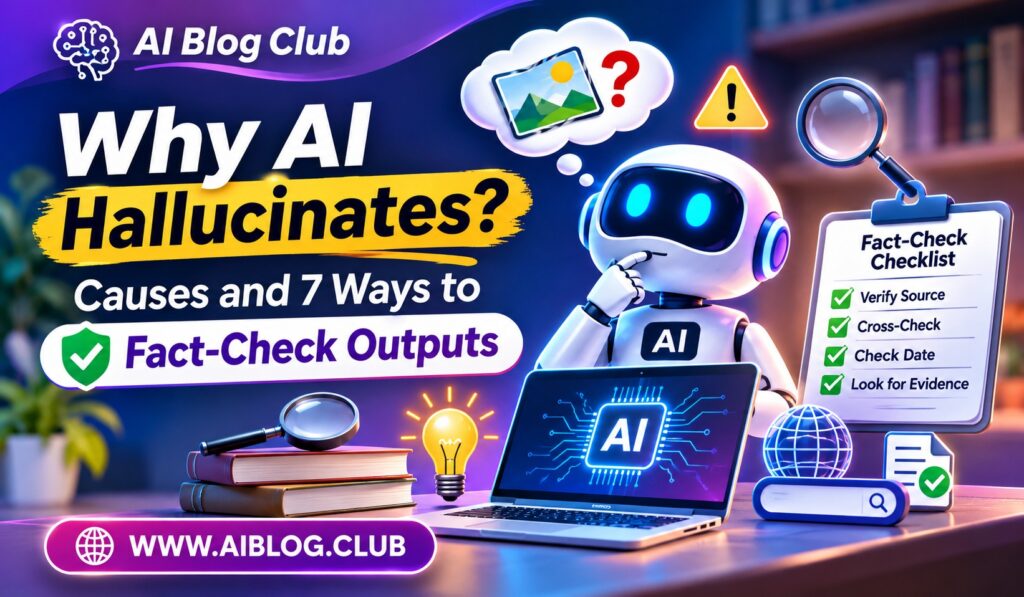
An AI tool can state a false fact in the same calm voice it uses for a true one. That is the core of why AI hallucinates, and it catches many careful people off guard. A fake date, a made-up quote, or an invented book can look perfectly real. This guide explains the causes and gives you seven practical checks. Along the way, we link to a few related guides, including one on retrieval-augmented generation and live data.
You do not need a technical background. If you can search the web and read a source, you can use every tip below.
What an AI Hallucination Really Is
An AI hallucination is an answer that sounds correct but is false or unsupported. The model is not lying on purpose. It has no intent at all. Instead, it produces text that fits the pattern of a good answer, even when the facts behind it are missing.
Common examples include fake web links, invented court cases, wrong numbers, and quotes that nobody ever said. Sometimes the error is small, such as a swapped year. At other times, the whole answer is fiction. Because the tone stays confident, the mistake is easy to miss.
That is why checking matters. A human reader has to act as the final filter, especially when the answer will be shared, published, or used to make a decision.
Why AI Hallucinates: The Main Causes
Language models learn by studying huge amounts of text. Their main skill is predicting which words are likely to come next. This skill is powerful, yet it is not the same as knowing the truth. Once you grasp that, the causes become easier to see.
Common Causes
- Prediction over facts. The model picks likely words, and likely does not always mean correct.
- Gaps in training data. If a topic was rare or missing, the model fills the hole with a guess.
- Old knowledge. Training stops at a fixed date, so newer events are unknown.
- Unclear questions. A vague prompt invites the model to guess what you meant.
- Pressure to answer. Many models lean toward giving some reply instead of saying they are unsure.
- Long conversations. Details can drift or get mixed up as a chat grows.
In addition, the model has no built-in way to check a fact against the real world. Unless it is connected to a search tool or a document library, it relies on what it learned. Therefore, a gap in learning often turns into a gap in accuracy.
Warning Signs to Watch For
You can spot many hallucinations if you know the usual signs. None of them prove an error by themselves. Still, each one is a good reason to slow down and check.
- Very specific details with no source, such as exact figures or full names.
- Links, citations, or book titles that you cannot find with a search.
- Answers that sound too smooth for a topic that experts still debate.
- Sudden changes between two replies to the same question.
- Claims about very recent events from a model with no web access.
Meanwhile, be careful with answers that match what you hoped to hear. People tend to accept a reply that agrees with them. That habit makes a false answer more dangerous.
Seven Ways to Fact-Check AI Outputs
Checking does not have to take long. The seven methods below range from quick to thorough. Pick the level that matches the risk of the task.
1. Ask for Sources, Then Open Them
Request links or named references, and then visit each one. Sometimes the source does not exist. In other cases, it exists but does not say what the model claims. Opening the page takes a minute and settles the question.
2. Cross-Check With a Second Trusted Source
Search the claim on a reliable site, such as a government page, a major news outlet, or a well-known reference. If two independent sources agree, your confidence rises. If you find nothing, treat the claim as unproven.
3. Verify Names, Numbers, Dates, and Quotes
These details are where errors hide most often. Pull each one out of the answer and check it alone. Because they are easy to test, this step gives a lot of value for little effort.
4. Ask the Model to Explain Its Confidence
Try asking, “How sure are you, and what could be wrong?” A good model may point out weak spots or admit it does not know. Even though this is not proof, it can reveal where to look first.
5. Break Big Questions Into Small Ones
A long, complex question gives more room for mistakes. Instead, ask several small questions and check each reply. As a result, errors become easier to catch and fix.
6. Compare Answers Across Tools or Tries
Ask the same question twice, or use a second AI tool. If the answers disagree on a key fact, one of them is wrong. That disagreement tells you exactly where to dig deeper.
7. Use a Human Expert for High-Stakes Topics
For health, law, money, or safety, get a qualified person to review the answer. AI can help you prepare good questions. Still, it should not be the final voice on matters that can harm someone.
How Better Setup Reduces Errors
You can also lower the odds of hallucination before the answer appears. Good setup does not remove the problem, but it helps a great deal. Several simple habits are worth building.
First, write clear prompts. Include the topic, the audience, and the facts the model should use. Next, tell the model it may say “I do not know” when the answer is unclear. That small permission reduces forced guesses.
Then, give the model real material to work from. For example, paste in a document and ask it to answer only from that text. Teams that want this at scale often use RAG, which is explained in more detail in our post on fine-tuning vs prompt engineering vs RAG. Because the answer comes from a known source, checking becomes much simpler.
| Setup Habit | Why It Helps | Effort |
| Clear, detailed prompts | Cuts down on guessing | Low |
| Permission to say “I do not know” | Reduces invented answers | Low |
| Pasting in source text | Grounds the reply in facts | Low |
| Connecting to search or documents | Gives access to live facts | Medium |
| Human review step | Catches what automation misses | Medium |
When to Trust AI and When to Double-Check
Not every task needs the same level of care. A brainstorm for party themes carries little risk. A legal summary carries a lot. Matching your effort to the stakes saves time without inviting trouble.
Lower-risk tasks include rewriting your own text, brainstorming ideas, or drafting a first outline. In these cases, you already know the facts, or the facts do not matter much. Even so, a quick read-through is wise.
Higher-risk tasks include anything with numbers, citations, medical details, legal claims, or public statements. Here, assume the output needs checking. After all, a single wrong figure in a report can damage your credibility.
A Simple Fact-Checking Routine
If you want a repeatable habit, try this short routine each time you use AI for something that matters. It takes only a few minutes once you practice.
- Read the answer and highlight every name, number, date, and quote.
- Search each highlighted item on a trusted source.
- Open every link or source the model gave you.
- Ask the model to point out parts it is unsure about.
- Fix or remove anything you cannot confirm.
Over time, this routine becomes automatic. You will start to sense which answers feel shaky. As a result, you will catch more errors while spending less time on each check. Tools that act on their own raise the stakes further, which we cover in AI agents vs chatbots and autonomous workflows.
Key Takeaways
- Main cause: Models predict likely words, so a smooth answer can still be false.
- Top warning sign: Specific details with no source you can find.
- Fastest check: Verify names, numbers, dates, and quotes one by one.
- Best setup habit: Give the model real source text and allow it to say it does not know.
- High-stakes rule: Always involve a qualified human reviewer.
Frequently Asked Questions
Is an AI hallucination the same as lying?
No, because the model has no intent and simply produces text that looks like a likely answer.
Can hallucinations be removed completely?
Not yet, but good prompts, source documents, and human review can reduce them a lot.
Which AI details are most likely to be wrong?
Names, numbers, dates, quotes, and web links tend to be the weakest points.
Does asking for sources prove an answer is true?
No, since the model may invent sources, so you must open each one and confirm it.
Do newer AI models hallucinate less?
They often improve, yet no model is perfect, so checking remains a smart habit.
Conclusion
Understanding why AI hallucinates makes you a sharper and safer user. The model predicts likely words, so gaps in knowledge, old data, and vague questions can all lead to confident mistakes. Fortunately, the fixes are practical. Ask for sources and open them, verify key details, give the model real material, and bring in an expert when the stakes are high. With a short checking routine, you can enjoy the speed of AI without paying for its errors.