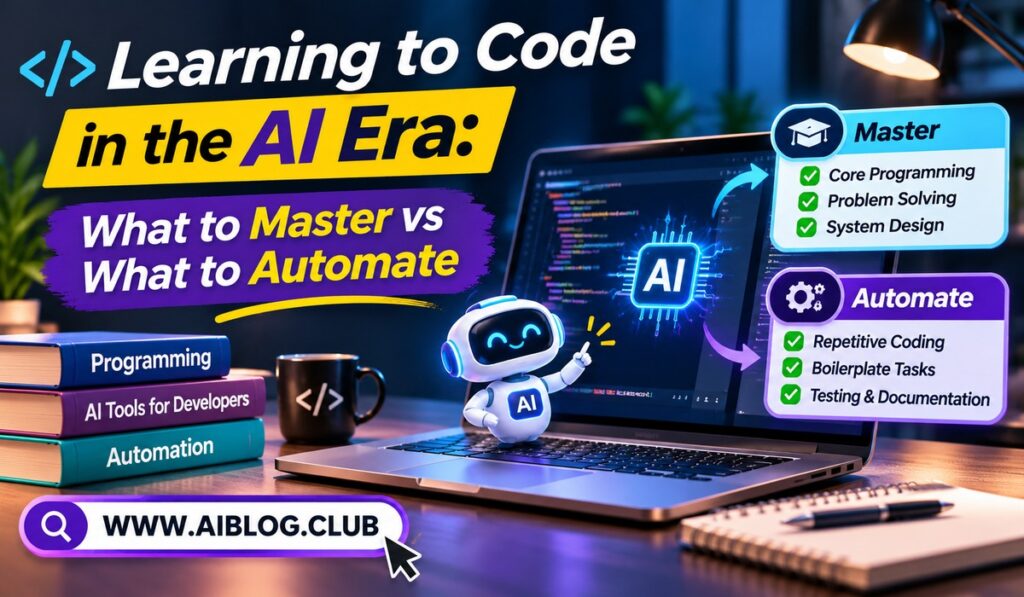
An AI tool can write a working function in seconds, so why spend months learning to type one yourself? That question worries almost every beginner who plans on learning to code in the AI era. The honest answer is that the tool writes the code, but you still have to judge it. If you want to see how far prompts alone can go, read about vibe coding and its pros, cons, and risks.
This guide shows which skills deserve your deep effort and which tasks you can hand to AI. So, by the end, you will have a clear plan for your own study time.
Why Learning to Code Still Matters
Some people claim that coding is dead because AI can write it. That claim misses the point. Code is only a means to an end, and the end is a working product that solves a real problem. Someone has to decide what the product should do.
Think of a calculator. It did not make math skills useless. Instead, it removed the slow parts and left people free to solve harder problems. In the same way, AI removes slow typing, but it does not remove the need to understand what the code is doing.
There is also a safety reason. If you cannot read code, you cannot tell whether the AI made a mistake. A hidden bug can break an app or expose private data. Because of this, a person who understands code will always be more useful than a person who can only paste it.
Skills You Should Master
Some skills are worth your full attention, even when AI can help. They form the base that every other skill sits on. If these are weak, every AI answer becomes a gamble.
Core Skills to Build
- Programming basics. Learn variables, loops, conditions, and functions until they feel natural.
- Reading code. You will read far more code than you write, so practice following what a program does.
- Debugging. Finding why something fails is a skill no tool replaces fully.
- Problem breakdown. Turn a big goal into small steps that a program can follow.
- Data structures and logic. Know when to use a list, a dictionary, or a simple database.
- Version control. Learn Git so you can track changes and undo mistakes.
- Security basics. Understand passwords, user input, and safe handling of private data.
Of course, you do not need to memorize every command. Still, you should understand the ideas well enough to explain them. Once you can explain why a solution works, you are ready to judge what an AI gives you.
Tasks You Can Safely Automate
Many jobs in coding are repeated and boring. These are perfect to hand over to AI. When you automate them, you save energy for harder thinking. Even so, always read the result before you trust it.
Common tasks to hand off include:
- Writing boilerplate, such as basic file setups and standard forms.
- Converting code from one language or format to another.
- Drafting simple tests and sample data.
- Writing comments and short documentation.
- Explaining unfamiliar code or error messages in plain words.
- Suggesting names for variables and functions.
- Formatting and cleaning up messy code.
Meanwhile, be careful with anything tied to security, payments, or private data. AI can write these parts, but a human must review them closely. Our guide on automated unit testing with AI shows one safe way to check generated code.
A Quick Master vs Automate Table
A table can make the split easier to remember. Use it as a rule of thumb, not a strict law. Your own level and goals will shift the lines over time.
| Area | Master It Yourself | Let AI Help |
| Logic and problem solving | Yes | Brainstorming only |
| Debugging | Yes | Hints and explanations |
| Boilerplate code | Understand it | Write it |
| Tests | Review and design | Draft them |
| Security | Yes | Suggest checks |
| Documentation | Review it | Draft it |
Notice that no row says “ignore completely.” Even the automated tasks need your eyes. The difference is who does the first draft, not who owns the final result.
How to Study With an AI Tutor
AI can be a patient tutor if you use it well. It never gets tired, and it will explain the same idea ten different ways. However, it can also become a crutch that stops you from learning.
A good habit is to try the problem first. Write your own attempt, even if it is messy. Then ask the AI to review it and point out issues. Because you struggled first, the explanation sticks much better.
Another smart move is to ask for explanations, not only answers. For example, ask, “Why did you choose a loop here?” That question forces you to understand the reasoning. In addition, ask the AI to quiz you on what you just learned.
Finally, never paste code you do not understand. If a line looks strange, ask what it does. Then rewrite it in your own words. By doing this, you turn every AI answer into a small lesson.
Mistakes Beginners Make
Many new learners fall into the same traps. Knowing them in advance helps you avoid them. Most of these mistakes come from moving too fast.
- Copying without reading. The code runs, but you learn nothing.
- Skipping the basics. Jumping to big projects leaves gaps that cause trouble later.
- Trusting every answer. AI can be wrong while sounding sure, as we explain in our guide on why AI gets facts wrong.
- Never building projects. Reading about code is not the same as writing it.
- Ignoring errors. Error messages are clues, so read them before asking for help.
- Comparing yourself to experts. Everyone started with a confusing first program.
Beyond that, many learners quit when progress feels slow. That feeling is normal. Small daily practice beats long sessions that you cannot keep up.
A Simple Learning Plan
You do not need a perfect plan, but a simple one helps. Here is a path that works for most beginners. Adjust the pace to fit your schedule.
- Pick one language. Python or JavaScript are friendly places to begin.
- Learn the basics without AI. Spend the first few weeks writing small programs by hand.
- Add AI as a tutor. Use it to explain errors and review your work.
- Build small projects. A to-do list, a budget tracker, or a simple quiz are good starts.
- Learn to test and debug. Practice finding and fixing your own bugs.
- Ship something real. Put a project online, as shown in our guide to building and deploying a website with AI.
- Review and repeat. Look back at what you built and improve it.
Over time, you will notice a shift. At first, AI feels like magic. Later, it feels like a helpful assistant that you direct. That change shows that your skills are growing.
Key Takeaways
- Why it still matters: You must judge, fix, and own the code that AI writes.
- Master: Programming basics, code reading, debugging, logic, Git, and security.
- Automate: Boilerplate, formatting, draft tests, comments, and code explanations.
- Best study habit: Try first, then ask AI to review and explain.
- Biggest trap: Pasting code that you do not understand.
Frequently Asked Questions
Is learning to code worth it when AI can write code?
Yes, because you still need to understand, test, and fix what the AI produces.
Which programming language should a beginner pick first?
Python and JavaScript are both friendly choices with plenty of learning material.
Can AI replace junior developers?
It can handle simple tasks, but teams still need people who can judge quality and own results.
Should beginners use AI from day one?
Use it as a tutor after you try problems yourself, not as a shortcut that skips the learning.
How long does it take to learn coding basics?
It varies by person, but steady daily practice over a few months can build a solid base.
Conclusion
Learning to code in the AI era is less about typing speed and more about judgment. Master the basics, debugging, logic, and security so you can check every answer. Hand the boring work to AI so your time goes to harder problems. If you try first, ask for explanations, and build real projects, you will grow faster and stay in control of the code you ship.